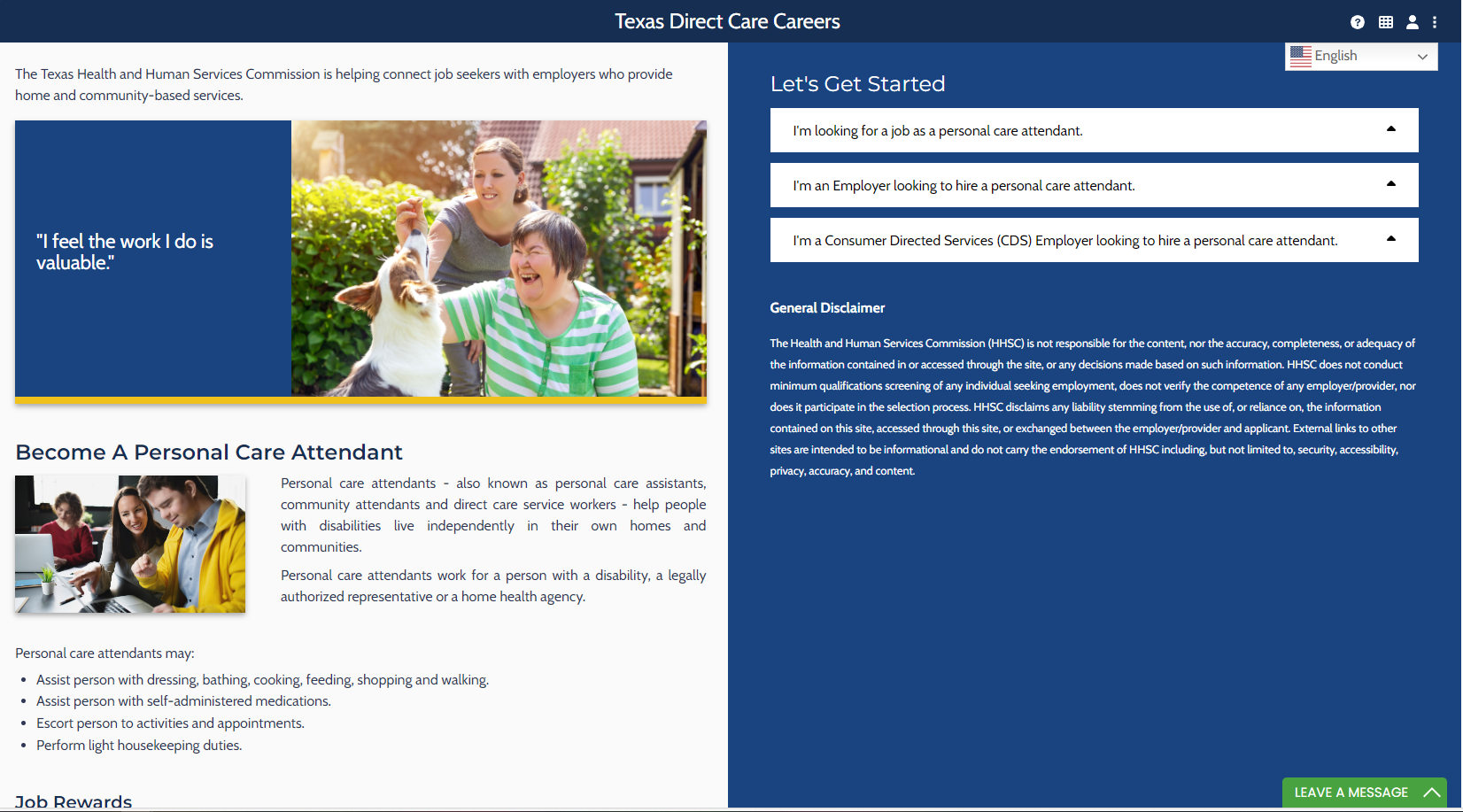
Step 1:
Start from the Direct Care Centers home page.
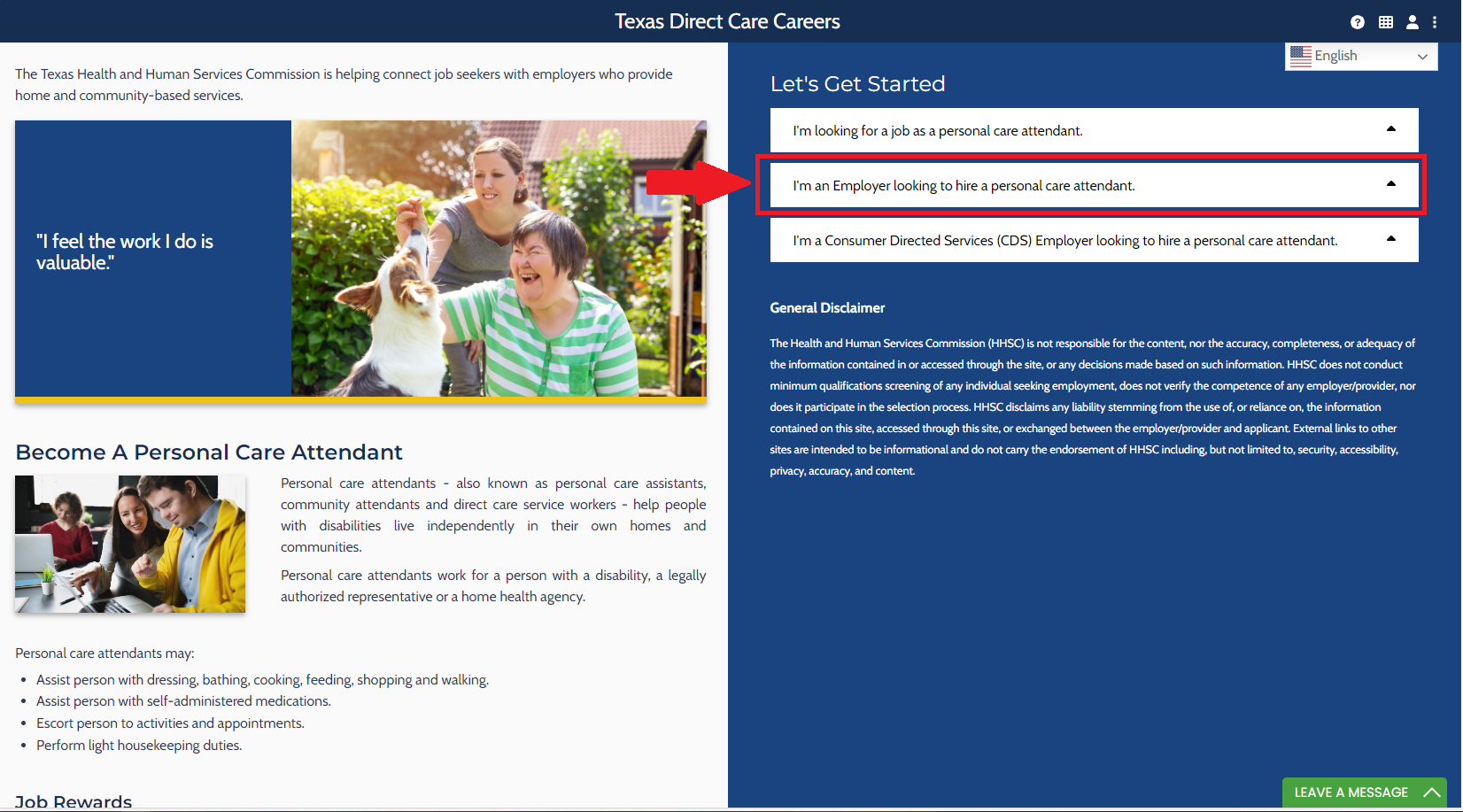
Step 2:
Select “I’m an Employer looking to hire a personal care attendant.”
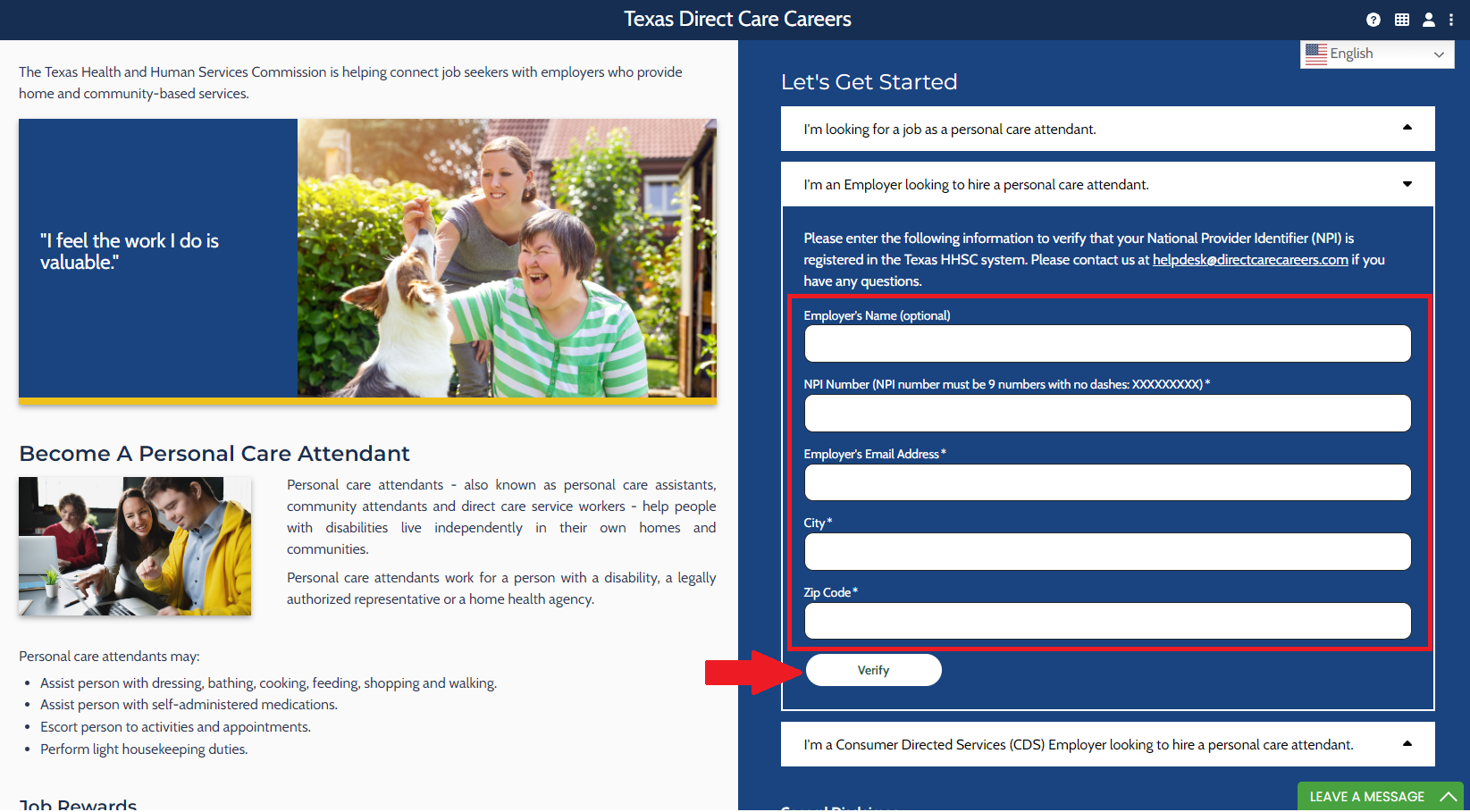
Step 3:
Fill in the form. Required fields include your NPI number, Company Email Address, City, and Zip Code. Select “Verify.”
Step 4:
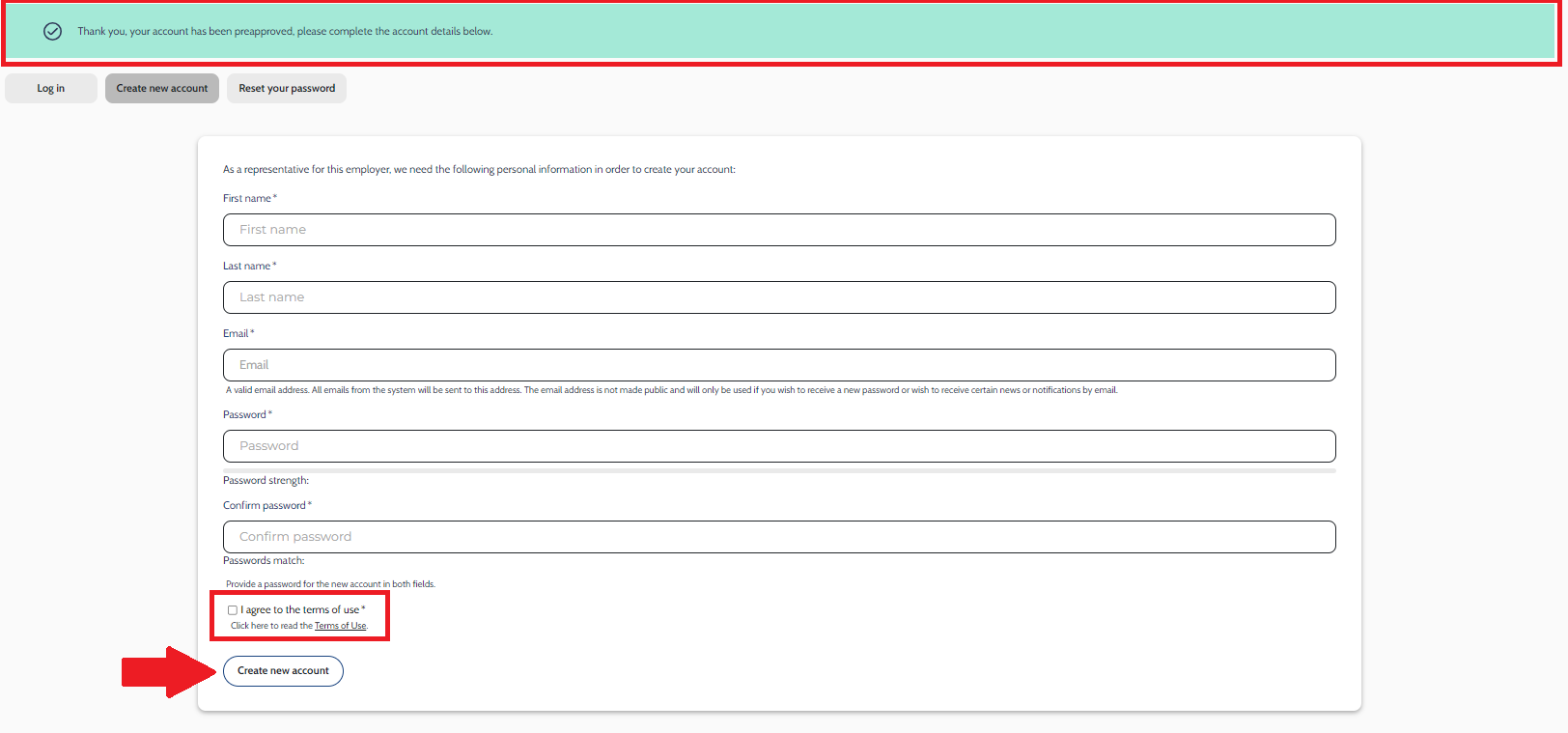
- If the NPI number, Business Email Address, City, and Zip Code match up with the state’s Employer list, the “Thank you. Your account has been preapproved, please complete the account details below” message will appear. You can now continue to register for a profile.
- Fill in the form with your personal name and email account. Create a password.
- Check the box if you agree to the “Terms of Use.”
- Select “Create New Account”
Step 5:
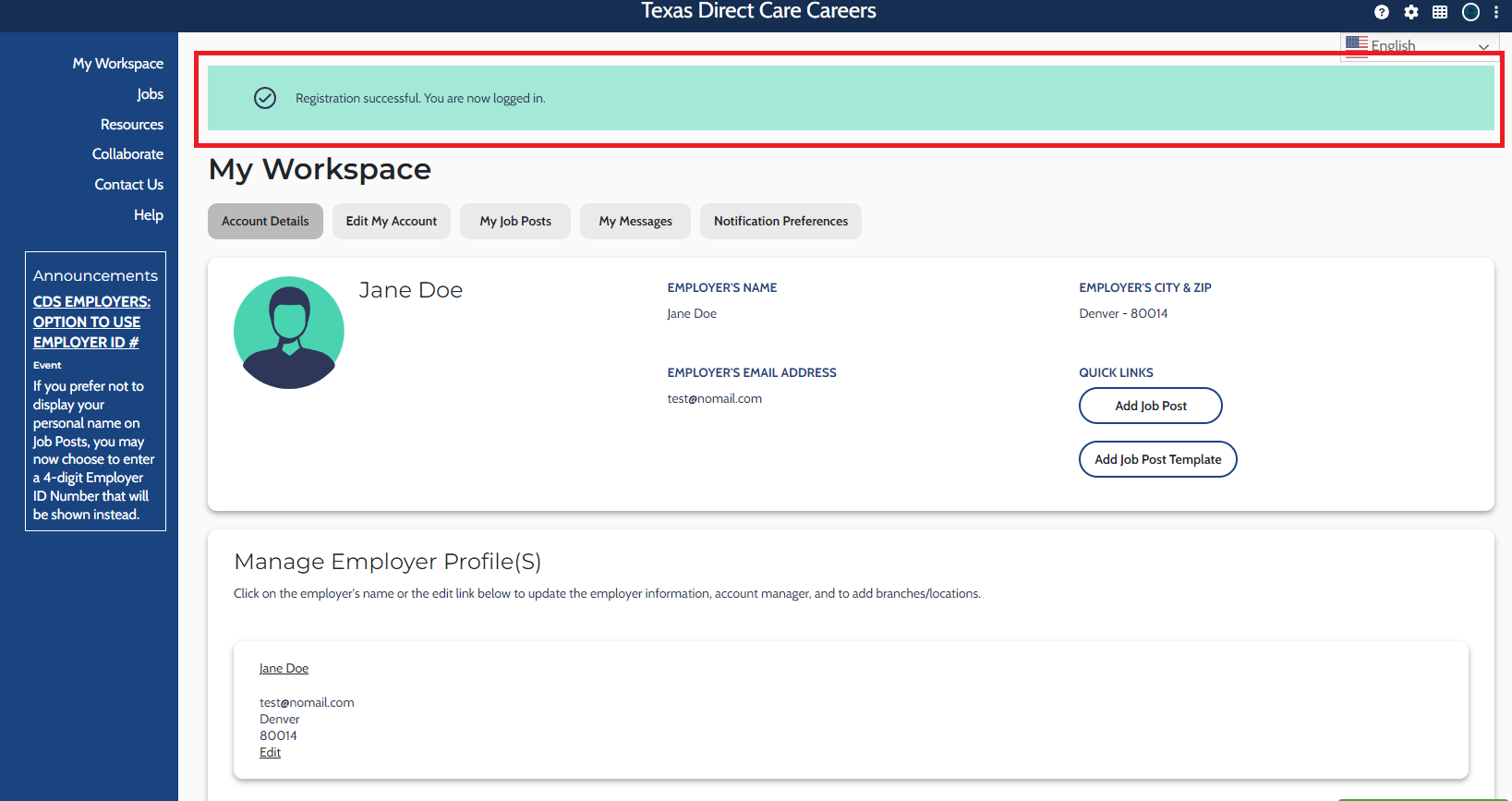
Once the message "Registration successful, you are now logged in" appears, you have successfully registered as a representative for your company.
Step 6:
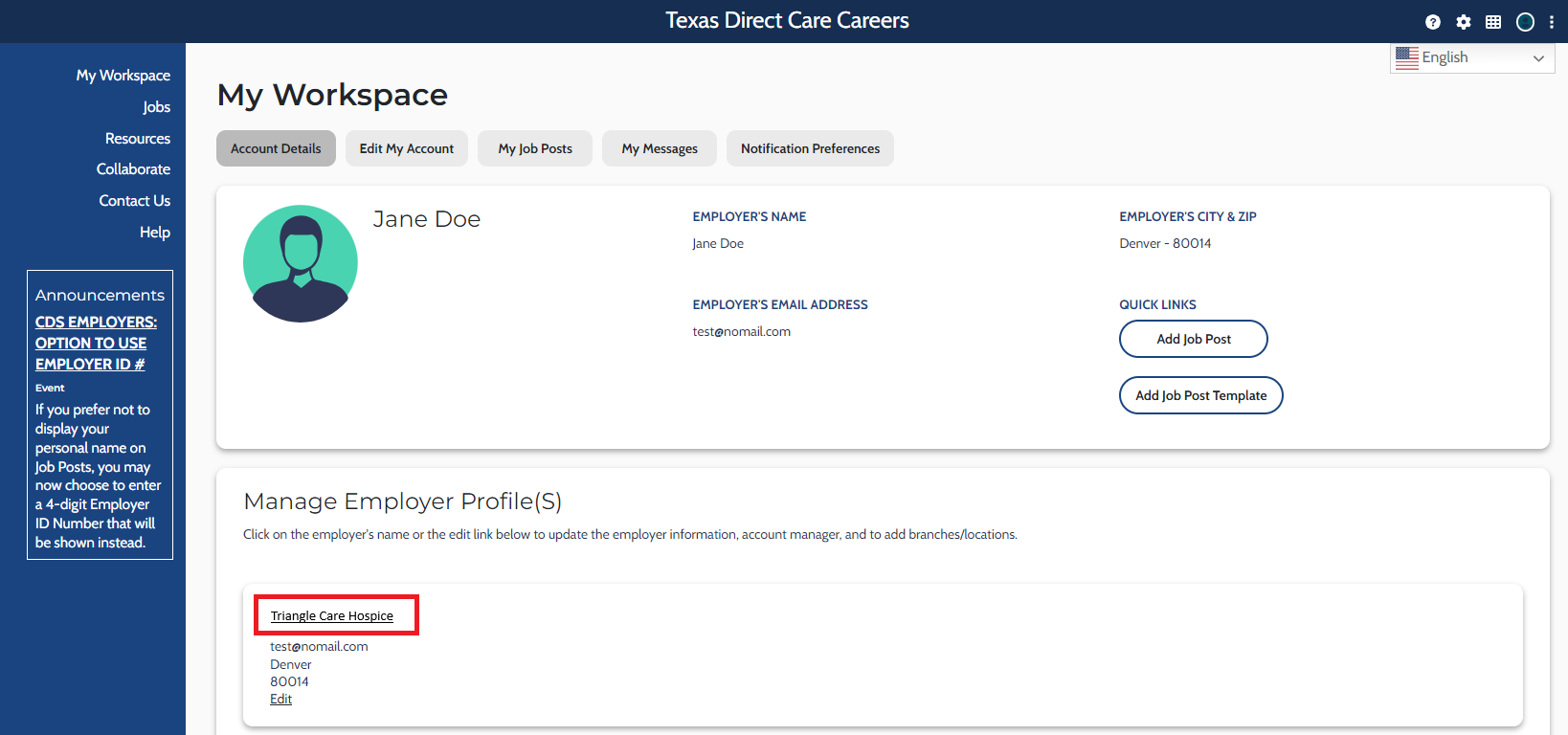
Locate the “Manage Employer Profile(s)” section, then select the link with your company name.
Step 7:
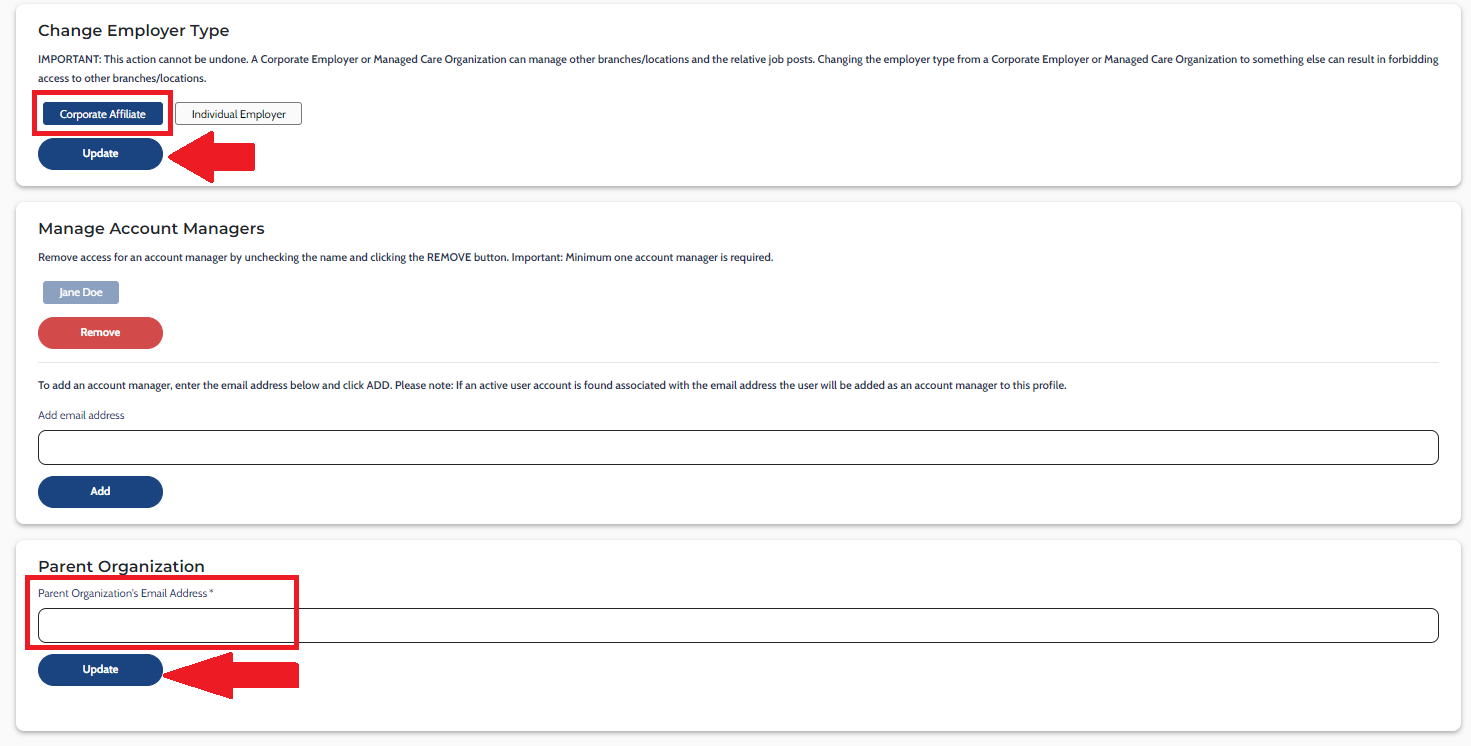
On this page, you can add details to your company profile, such as Phone Number, About the Employer, Employer Type, and Branch Locations (if needed).
The “Employer Type” field defaults to a preset value, so you must change it to the correct Employer Type (Corporate Affiliate), then select the “Update” button to save your changes.
Next, under “Parent Organization,” enter the corporate email address and select “Update.” This will link your account with corporate.
Step 8:
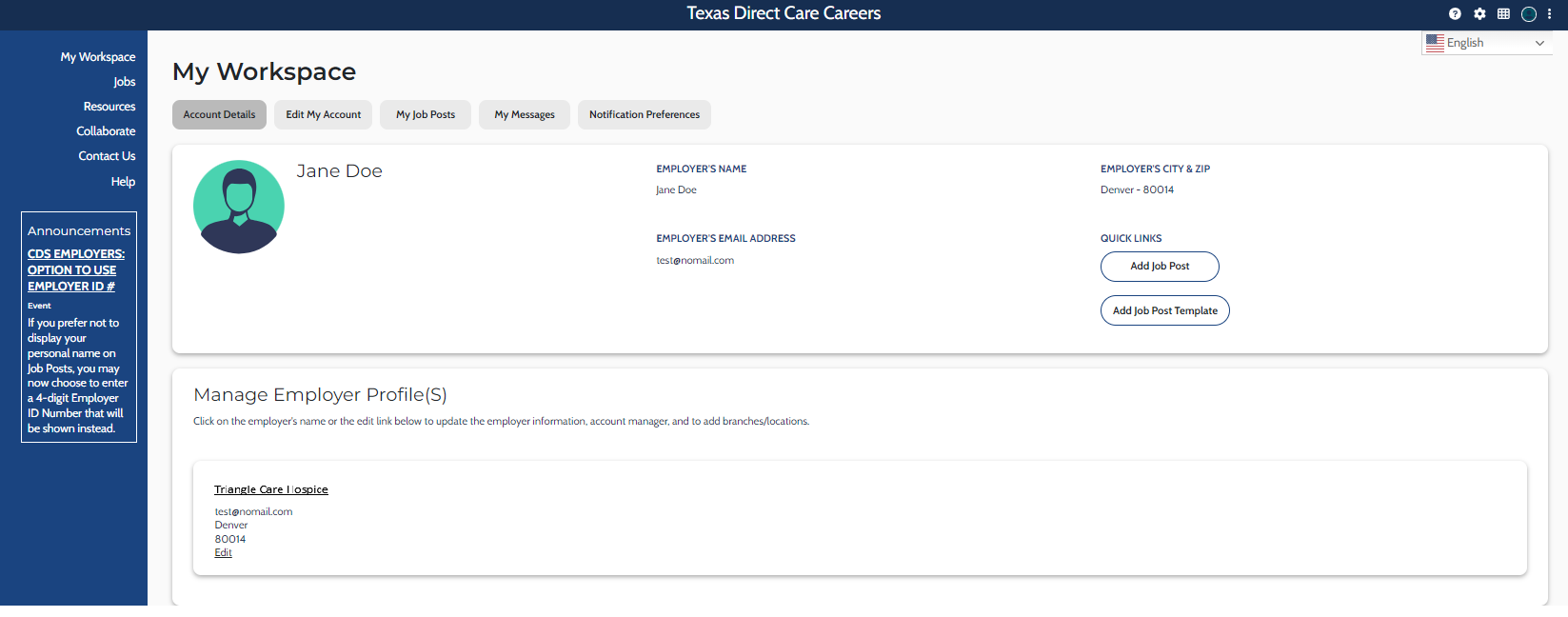
The next time you log in to your Employer account, the “My Workspace” page will display, with your company listed within the “Manage Employer Profile(s)” section.