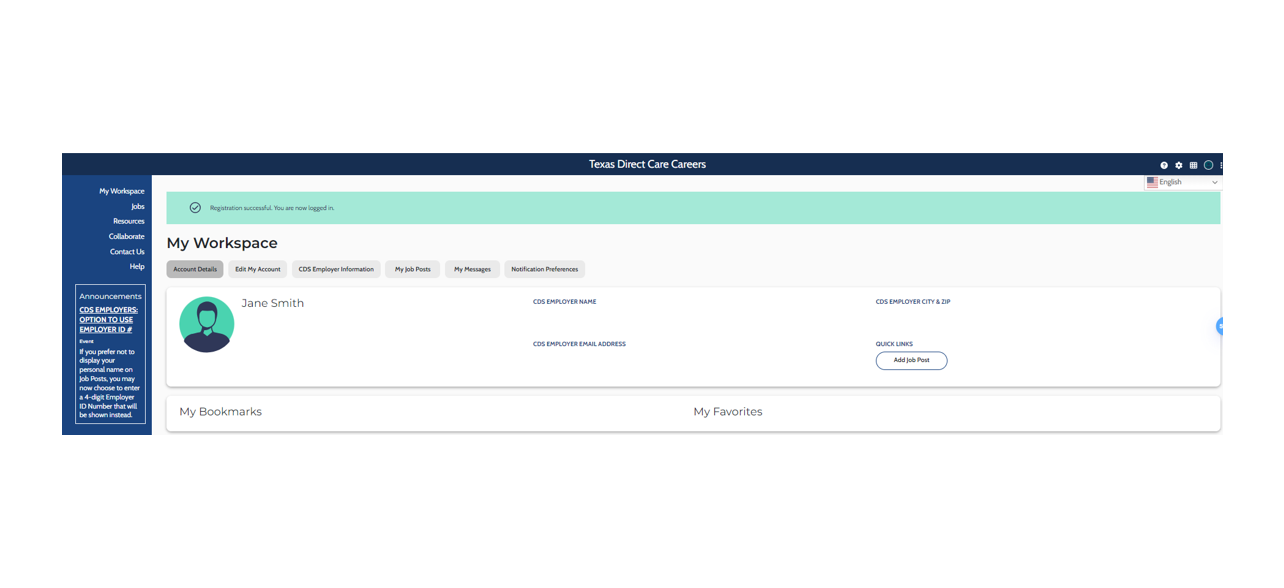
Step 1: Navigate to the Homepage
Go to the homepage at www.directcarecareers.com and select your state.
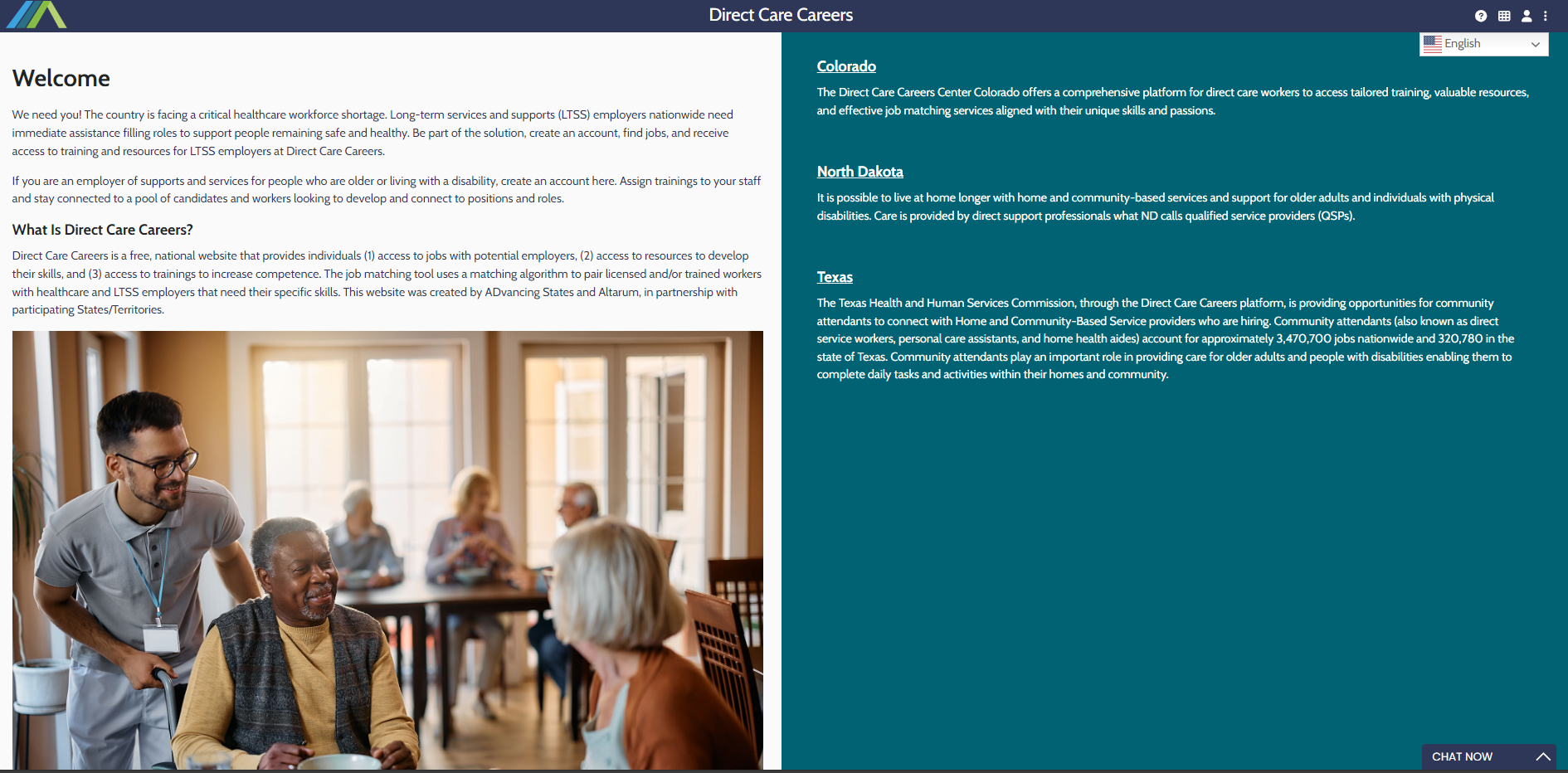
Step 2: Select the "I'm a CDS Employer..." Link
In the Let’s Get Started section, click on the text which reads “I’m a Consumer Directed Services (CDS) Employer looking to hire a personal care attendant.”
Then under "Step 1: Pre-Registration", click where it says "click here"
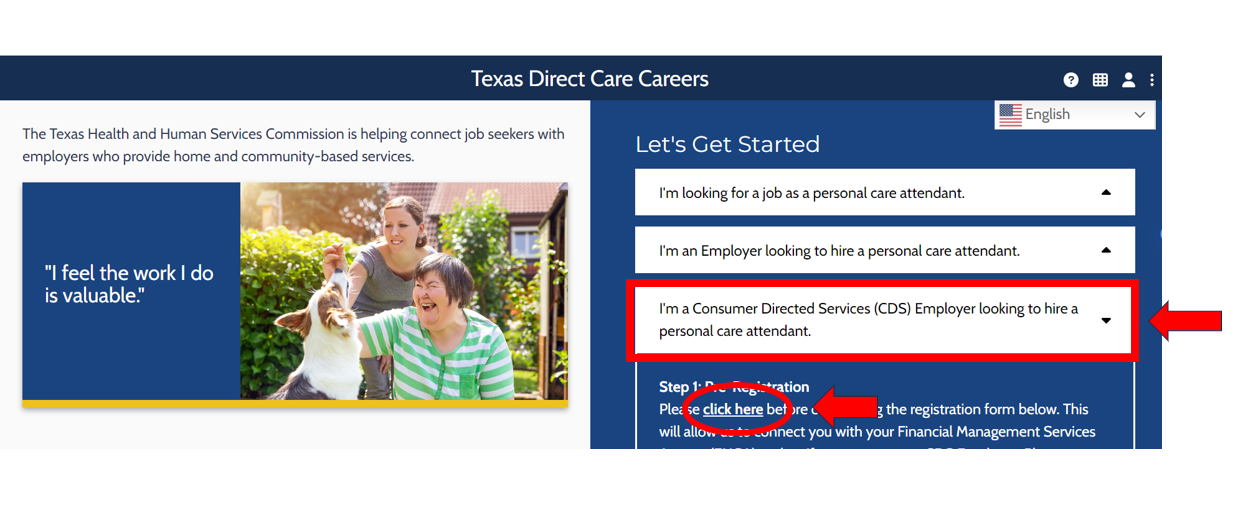
Step 3: Fill out the contact form
You should now see the form below:
- Fill in your name, email address, and phone number.
- Fill in the name of your Financial Services Management Agency (FMSA), their email address and phone number.
- After you complete the form and click ‘Send Contact Information’, we will contact the FMSA and verify your relationship with them.
- Once verified, you will receive an email and can return to the site directcarecareers.com.
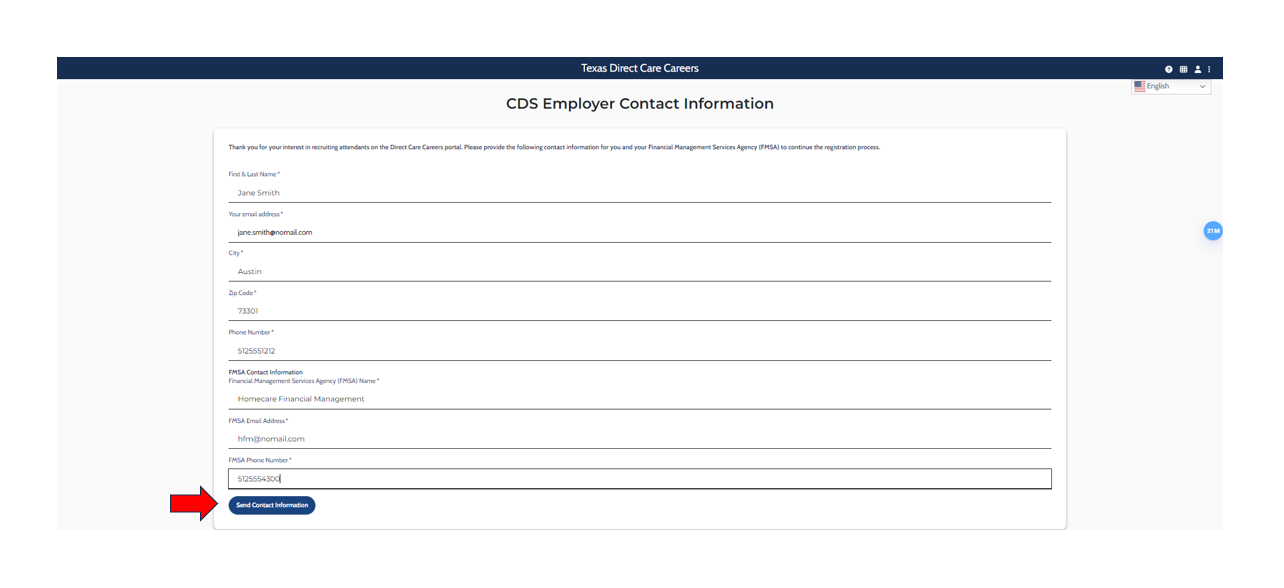
Step 4: Registration
Complete steps 1-3 to return to the "Let's Get Started" Page.
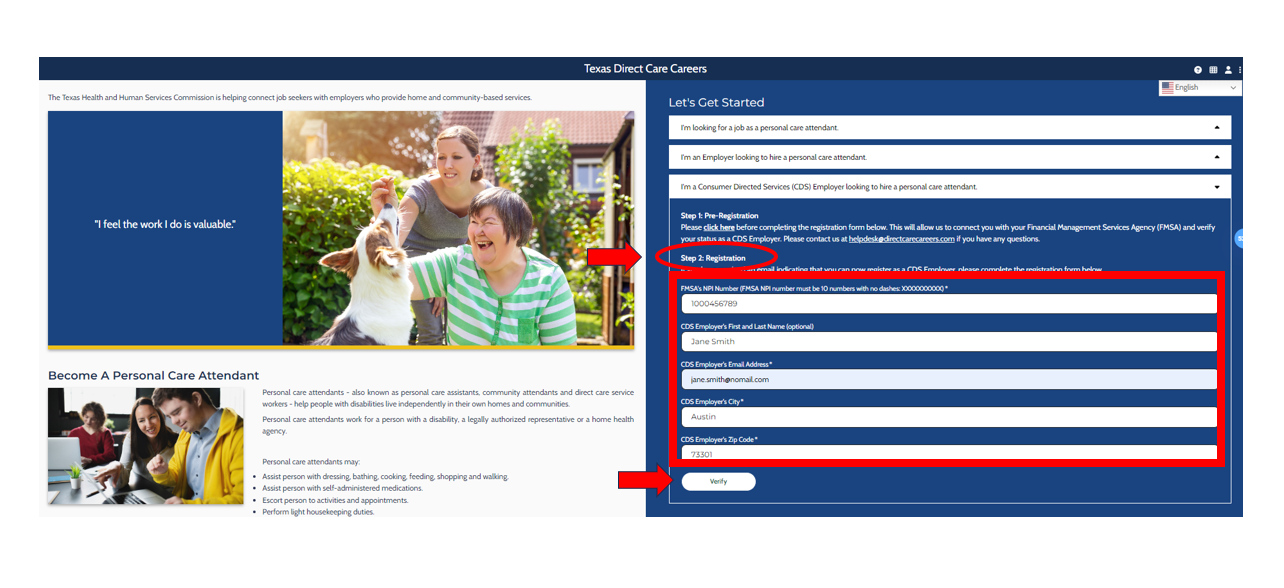
This time, you will be completing "Step 2: Registration"
- You will need the following information:
- FMSA’s NPI number
- CDS Employer’s First and Last name
- CDS Employer’s email address, city, and zip code
- Click "Verify" when done
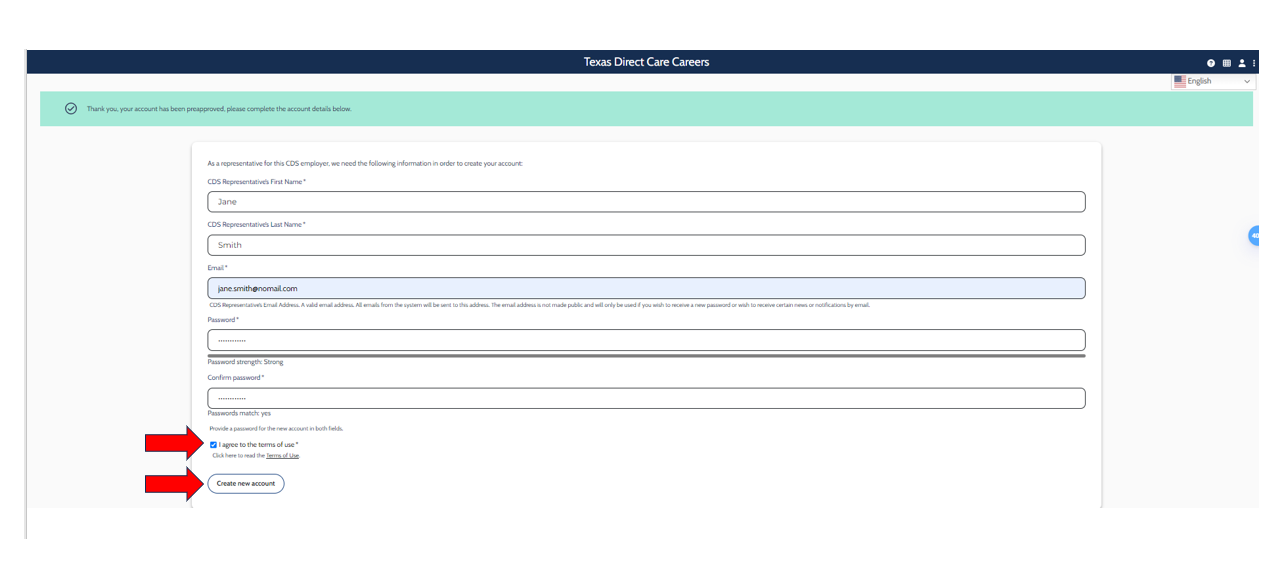
You should now see the form below.
- Enter the CDS Employer or authorized representative’s First and Last Name, email address, and set a password.
- *Note: This email address and password will be used for log in.
- Check if you accept the Terms of Use.
- Click on ‘Create new account’.
You are now registered and will see the message below.